Yamaha SB3J Silent Brass Pickup Mute™ and Personal Studio™ for French Horn(with Brass Resonance Modeling™)
EXPERIENCE THE EVOLUTION OF SILENT BRASS™
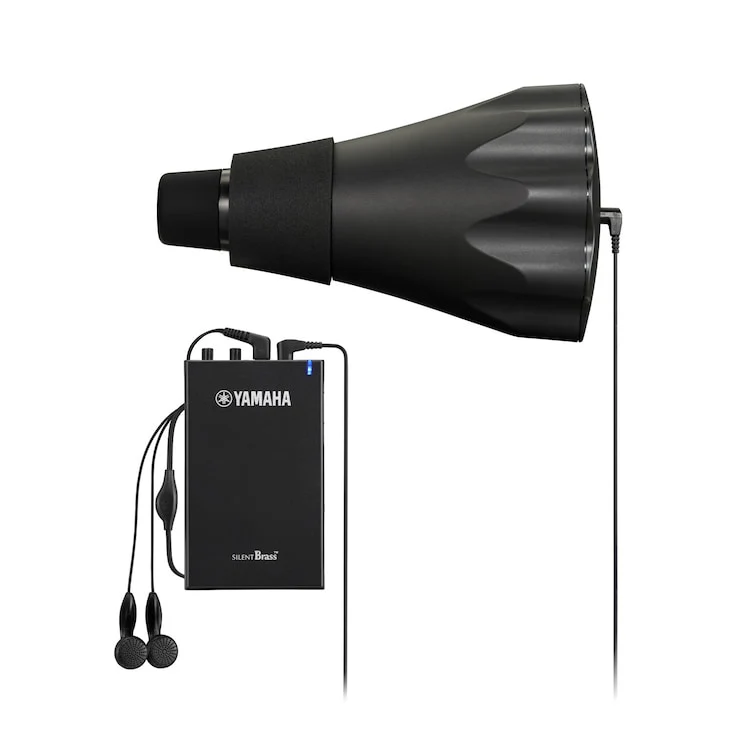
You want to play when and as you like, without being confined to time or place… Yamaha’s next-generation SILENT Brass™ makes it happen. The SILENT Brass™ consists of a smaller, lighter, freer blowing Pickup Mute™, and the Personal Studio™, which features Yamaha’s exclusive Brass Resonance Modeling™. Used together, the two deliver the natural acoustic tone you hear when playing without a mute, making it feel as though you are playing mute free.
playing without a mute, making it feel as though you are playing mute free.
PICKUP MUTE™
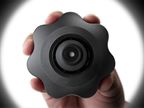
Easy to attach and remove
The mutes are designed to attach and remove smoothly and easily.

Fits neatly inside the bell
A new compact design now lets you put your instrument in its case with the mute in the bell.
*Pickup Mute for flugelhorn protrudes 3-4 cm from the bell.
*In some cases, the Pickup Mute may not fit instruments that have significantly different bell diameters and/or shapes. Please refer to the “Compatibility Table” on each product page and check before purchasing

So light you’ll forget it’s in your horn.
These mutes offer better instrument balance when in the bell and greatly reduce stress when playing.
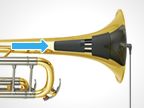
Specially designed mini microphone
Microphone performance, its mounting position, and the surrounding mute design were all optimized to bring out the full potential of Brass Resonance Modeling.
BRASS RESONANCE MODELING™ Ver.2.0
Brass Resonance Modeling™ is original Yamaha technology that effectively cancels the characteristic closed sound of a mute, reproducing the open, natural sound of the unmuted instrument. This reduces stress on players by allowing them to practice and play freely without feeling restricted by the mute.
Brass Resonance Modeling utilizes three simultaneous processes to produce the realistic tone of the brass instrument.
Brass Resonance Modeling utilizes three simultaneous processes to produce the realistic tone of the brass instrument.
PLAYER MODE
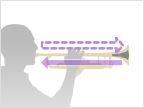
1. Cancel the distinctive mute sound
The sound picked up by the microphone at the end of the pickup mute is processed digitally to cancel out the characteristic sound of the muted instrument.
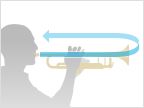
2. Add the instrument’s natural sound
The natural, open sound of the instrument, as heard by the player is reproduced and added.

3. Adjust left-right balance to match the player’s position
The sound is automatically balanced left and right to where the player would naturally hear sound coming out of the bell of the instrument. Reverb is added as needed to accurately simulate the feel of playing in a room or hall.
SOUND MODE
Personal Studio™ STJ offers two sound modes. The “Player” (PLY) mode allows the player to hear the natural sound of the instrument, while the “Audience” (AUD) mode delivers natural sound to the listener. In the AUD mode the audience hears the sound of the instrument being played in front of them, making it ideal for recording or online lessons.
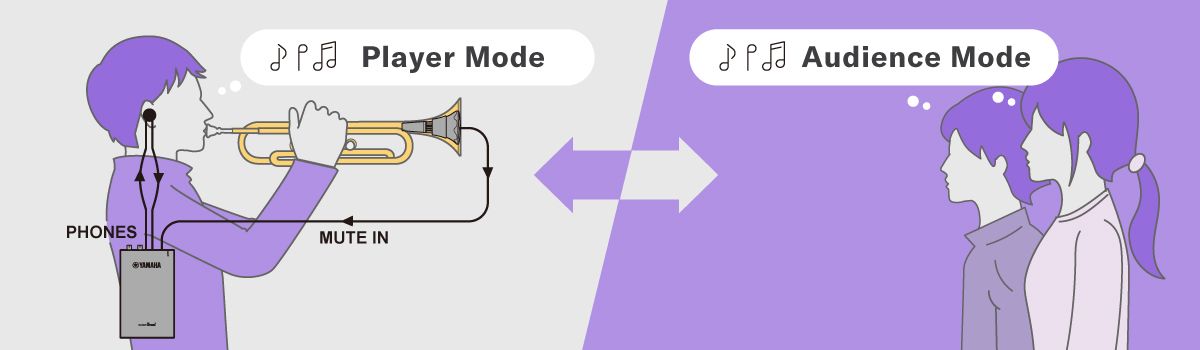
Brass Resonance Modeling utilizes three simultaneous processes to produce the realistic tone of the brass instrument
AUDIENCE MODE
1. Cancel the distinctive mute sound
Sound detected by the microphone at the end of the pickup mute is digitally processed to cancel out the sound of the muted instrument.

2. Add the instrument’s natural sound
The natural sound that is produced by the unmuted bell is recreated for the player to hear, emulating the sound an audience hears when an instrument is played on stage.

3. Adjust left-right balance to match the player’s position
The sound reaching the audience’s left and right ears are adjusted using the timing, volume, and tone, with reverb added as needed to accurately simulate the sound of the audience experience.
REVERB
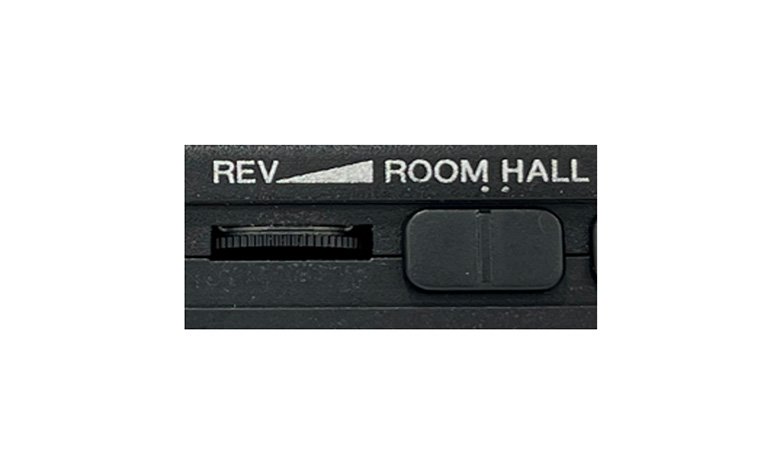
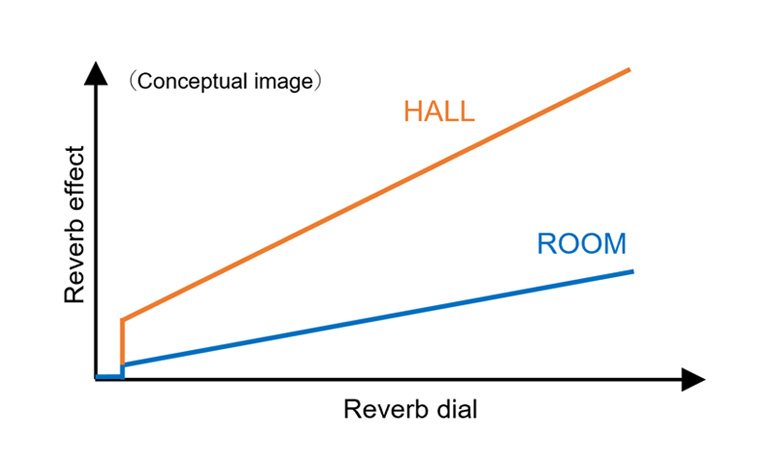
Greater control over reverb lets users recreate the feeling of playing in environments ranging from small practice rooms that have relatively little reverberation to large halls with rich, dense reverberation.
Micro USB
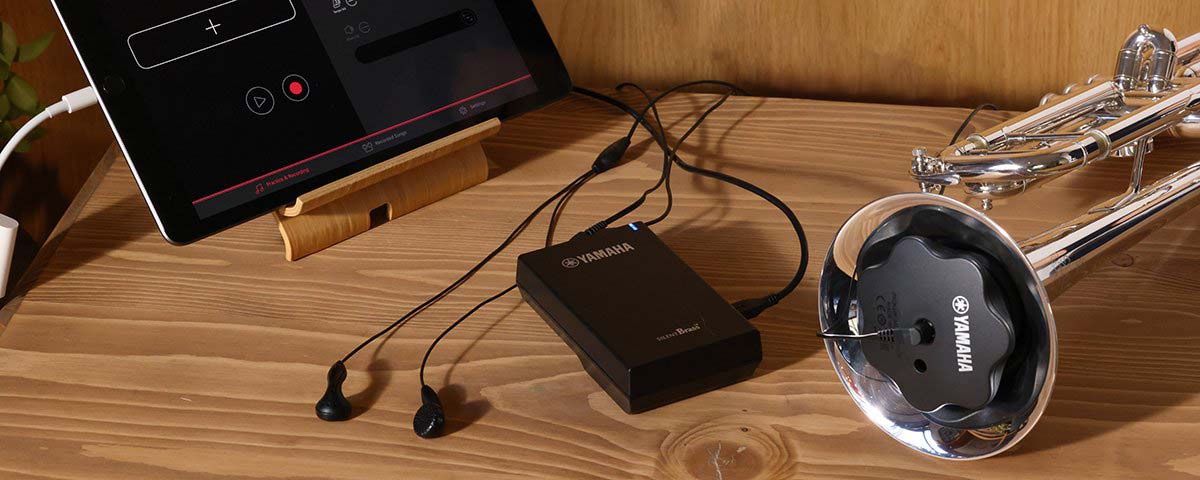
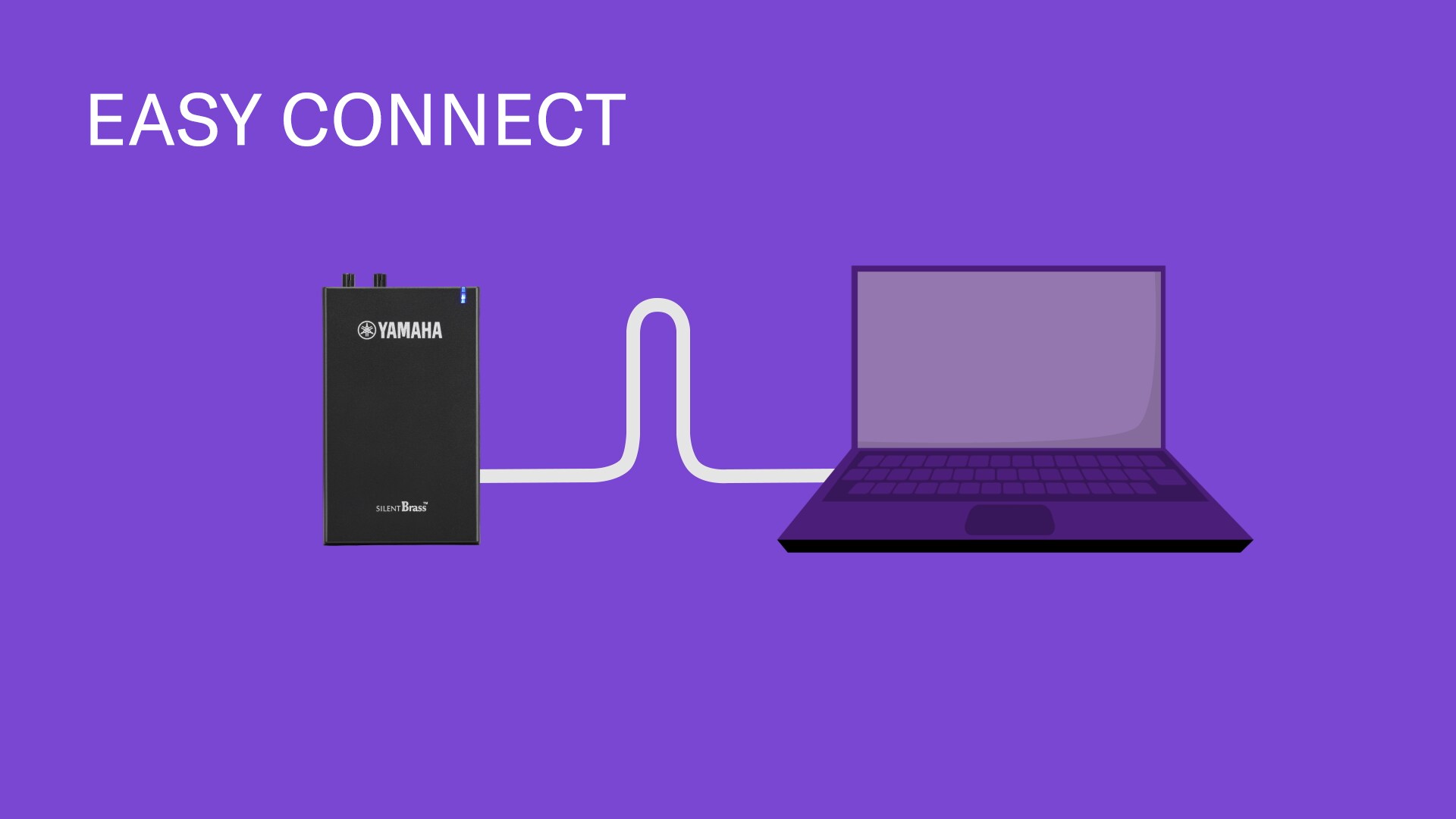
When the Personal Studio™ STJ is connected to a computer or smart device via the supplied USB cable it becomes possible to record or take part in online lessons at home. No audio interface or complicated wiring is necessary. The Personal Studio™ STJ goes beyond being a personal practice tool, to a tool that lets the player connect with the world from home.
*An adapter is required for smartphone connection.

Rec'n'Share APP
Personal Studio™ STJ can be connected to the free Rec’n’Share app for smart devices from Yamaha, making it possible to play along with audio data stored on the device and capture the performance as a sound recording or movie that can be shared online. Rec’n’Share includes a function that can change the playback tempo of the original music, an AB repeat function that repeats playback of a specified A-B section, a function that can analyze and add an appropriate click track to the original music, and other features that make practice more productive and enjoyable.
EXPERIENCE THE EVOLUTION OF SILENT BRASS™
You want to play when and as you like, without being confined to time or place… Yamaha’s next-generation SILENT Brass™ makes it happen. The SILENT Brass™ consists of a smaller, lighter, freer blowing Pickup Mute™, and the Personal Studio™, which features Yamaha’s exclusive Brass Resonance Modeling™. Used together, the two deliver the natural acoustic tone you hear when playing without a mute, making it feel as though you are playing mute free.
playing without a mute, making it feel as though you are playing mute free.
PICKUP MUTE™
Easy to attach and remove
The mutes are designed to attach and remove smoothly and easily.
Fits neatly inside the bell
A new compact design now lets you put your instrument in its case with the mute in the bell.
*Pickup Mute for flugelhorn protrudes 3-4 cm from the bell.
*In some cases, the Pickup Mute may not fit instruments that have significantly different bell diameters and/or shapes. Please refer to the “Compatibility Table” on each product page and check before purchasing
So light you’ll forget it’s in your horn.
These mutes offer better instrument balance when in the bell and greatly reduce stress when playing.
Specially designed mini microphone
Microphone performance, its mounting position, and the surrounding mute design were all optimized to bring out the full potential of Brass Resonance Modeling.
BRASS RESONANCE MODELING™ Ver.2.0
Brass Resonance Modeling™ is original Yamaha technology that effectively cancels the characteristic closed sound of a mute, reproducing the open, natural sound of the unmuted instrument. This reduces stress on players by allowing them to practice and play freely without feeling restricted by the mute.
Brass Resonance Modeling utilizes three simultaneous processes to produce the realistic tone of the brass instrument.
Brass Resonance Modeling utilizes three simultaneous processes to produce the realistic tone of the brass instrument.
PLAYER MODE
1. Cancel the distinctive mute sound
The sound picked up by the microphone at the end of the pickup mute is processed digitally to cancel out the characteristic sound of the muted instrument.
2. Add the instrument’s natural sound
The natural, open sound of the instrument, as heard by the player is reproduced and added.
3. Adjust left-right balance to match the player’s position
The sound is automatically balanced left and right to where the player would naturally hear sound coming out of the bell of the instrument. Reverb is added as needed to accurately simulate the feel of playing in a room or hall.
SOUND MODE
Personal Studio™ STJ offers two sound modes. The “Player” (PLY) mode allows the player to hear the natural sound of the instrument, while the “Audience” (AUD) mode delivers natural sound to the listener. In the AUD mode the audience hears the sound of the instrument being played in front of them, making it ideal for recording or online lessons.
Brass Resonance Modeling utilizes three simultaneous processes to produce the realistic tone of the brass instrument
AUDIENCE MODE
1. Cancel the distinctive mute sound
Sound detected by the microphone at the end of the pickup mute is digitally processed to cancel out the sound of the muted instrument.
2. Add the instrument’s natural sound
The natural sound that is produced by the unmuted bell is recreated for the player to hear, emulating the sound an audience hears when an instrument is played on stage.
3. Adjust left-right balance to match the player’s position
The sound reaching the audience’s left and right ears are adjusted using the timing, volume, and tone, with reverb added as needed to accurately simulate the sound of the audience experience.
REVERB
Greater control over reverb lets users recreate the feeling of playing in environments ranging from small practice rooms that have relatively little reverberation to large halls with rich, dense reverberation.
Micro USB
When the Personal Studio™ STJ is connected to a computer or smart device via the supplied USB cable it becomes possible to record or take part in online lessons at home. No audio interface or complicated wiring is necessary. The Personal Studio™ STJ goes beyond being a personal practice tool, to a tool that lets the player connect with the world from home.
*An adapter is required for smartphone connection.
Rec'n'Share APP
Personal Studio™ STJ can be connected to the free Rec’n’Share app for smart devices from Yamaha, making it possible to play along with audio data stored on the device and capture the performance as a sound recording or movie that can be shared online. Rec’n’Share includes a function that can change the playback tempo of the original music, an AB repeat function that repeats playback of a specified A-B section, a function that can analyze and add an appropriate click track to the original music, and other features that make practice more productive and enjoyable.
Description
EXPERIENCE THE EVOLUTION OF SILENT BRASS™
You want to play when and as you like, without being confined to time or place… Yamaha’s next-generation SILENT Brass™ makes it happen. The SILENT Brass™ consists of a smaller, lighter, freer blowing Pickup Mute™, and the Personal Studio™, which features Yamaha’s exclusive Brass Resonance Modeling™. Used together, the two deliver the natural acoustic tone you hear when playing without a mute, making it feel as though you are playing mute free.
playing without a mute, making it feel as though you are playing mute free.
PICKUP MUTE™
Easy to attach and remove
The mutes are designed to attach and remove smoothly and easily.
Fits neatly inside the bell
A new compact design now lets you put your instrument in its case with the mute in the bell.
*Pickup Mute for flugelhorn protrudes 3-4 cm from the bell.
*In some cases, the Pickup Mute may not fit instruments that have significantly different bell diameters and/or shapes. Please refer to the “Compatibility Table” on each product page and check before purchasing
So light you’ll forget it’s in your horn.
These mutes offer better instrument balance when in the bell and greatly reduce stress when playing.
Specially designed mini microphone
Microphone performance, its mounting position, and the surrounding mute design were all optimized to bring out the full potential of Brass Resonance Modeling.
BRASS RESONANCE MODELING™ Ver.2.0
Brass Resonance Modeling™ is original Yamaha technology that effectively cancels the characteristic closed sound of a mute, reproducing the open, natural sound of the unmuted instrument. This reduces stress on players by allowing them to practice and play freely without feeling restricted by the mute.
Brass Resonance Modeling utilizes three simultaneous processes to produce the realistic tone of the brass instrument.
Brass Resonance Modeling utilizes three simultaneous processes to produce the realistic tone of the brass instrument.
PLAYER MODE
1. Cancel the distinctive mute sound
The sound picked up by the microphone at the end of the pickup mute is processed digitally to cancel out the characteristic sound of the muted instrument.
2. Add the instrument’s natural sound
The natural, open sound of the instrument, as heard by the player is reproduced and added.
3. Adjust left-right balance to match the player’s position
The sound is automatically balanced left and right to where the player would naturally hear sound coming out of the bell of the instrument. Reverb is added as needed to accurately simulate the feel of playing in a room or hall.
SOUND MODE
Personal Studio™ STJ offers two sound modes. The “Player” (PLY) mode allows the player to hear the natural sound of the instrument, while the “Audience” (AUD) mode delivers natural sound to the listener. In the AUD mode the audience hears the sound of the instrument being played in front of them, making it ideal for recording or online lessons.
Brass Resonance Modeling utilizes three simultaneous processes to produce the realistic tone of the brass instrument
AUDIENCE MODE
1. Cancel the distinctive mute sound
Sound detected by the microphone at the end of the pickup mute is digitally processed to cancel out the sound of the muted instrument.
2. Add the instrument’s natural sound
The natural sound that is produced by the unmuted bell is recreated for the player to hear, emulating the sound an audience hears when an instrument is played on stage.
3. Adjust left-right balance to match the player’s position
The sound reaching the audience’s left and right ears are adjusted using the timing, volume, and tone, with reverb added as needed to accurately simulate the sound of the audience experience.
REVERB
Greater control over reverb lets users recreate the feeling of playing in environments ranging from small practice rooms that have relatively little reverberation to large halls with rich, dense reverberation.
Micro USB
When the Personal Studio™ STJ is connected to a computer or smart device via the supplied USB cable it becomes possible to record or take part in online lessons at home. No audio interface or complicated wiring is necessary. The Personal Studio™ STJ goes beyond being a personal practice tool, to a tool that lets the player connect with the world from home.
*An adapter is required for smartphone connection.
Rec'n'Share APP
Personal Studio™ STJ can be connected to the free Rec’n’Share app for smart devices from Yamaha, making it possible to play along with audio data stored on the device and capture the performance as a sound recording or movie that can be shared online. Rec’n’Share includes a function that can change the playback tempo of the original music, an AB repeat function that repeats playback of a specified A-B section, a function that can analyze and add an appropriate click track to the original music, and other features that make practice more productive and enjoyable.